
Engage with Fans through STAGE DOOR PASS:
WATCH VIDEO TUTORIAL >
FAN ENGAGEMENT ON STAGE DOOR PASS:
Your profile information from Stage Door Network is also shown on the fan platform, Stage Door Pass.
Theatre fans use Stage Door Pass to track their entire theatrical journey, rate and review the shows they see, and to track their favorite artist’s work. Stage Door Pass pulls data from the network to show which professionals are connected to what shows. You can manage your profile in the backend.
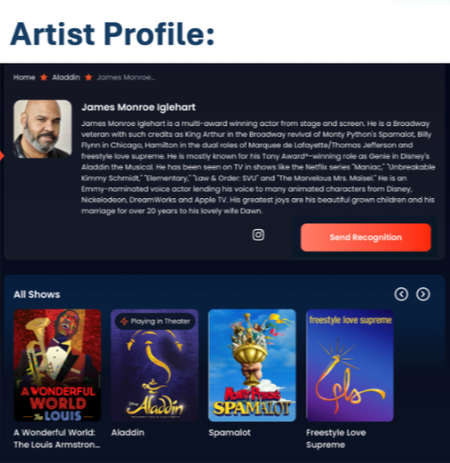
PROFILE DETAILS:
Your name, bio, photo, projects and social media links on your Network/Casting profile are all shown on the pass, including:
Name
Photo
Bio
Shows
Social Media Links
To see what your profile looks like:
Go to: https://app.stagedoorpass.com/shows > Search > Artist > Name
Edit Profile Details:
Edit your profile on Stage Door Network which is automatically linked to Stage Door Pass.

CLAIM YOUR PROFILE:
If you see your profile and ‘Is this you’ listed under your name, you can claim your profile.
Tap ‘Is this you?’ > Enter your details on the form to allow the team to link your profile.
ENGAGE WITH FANS:
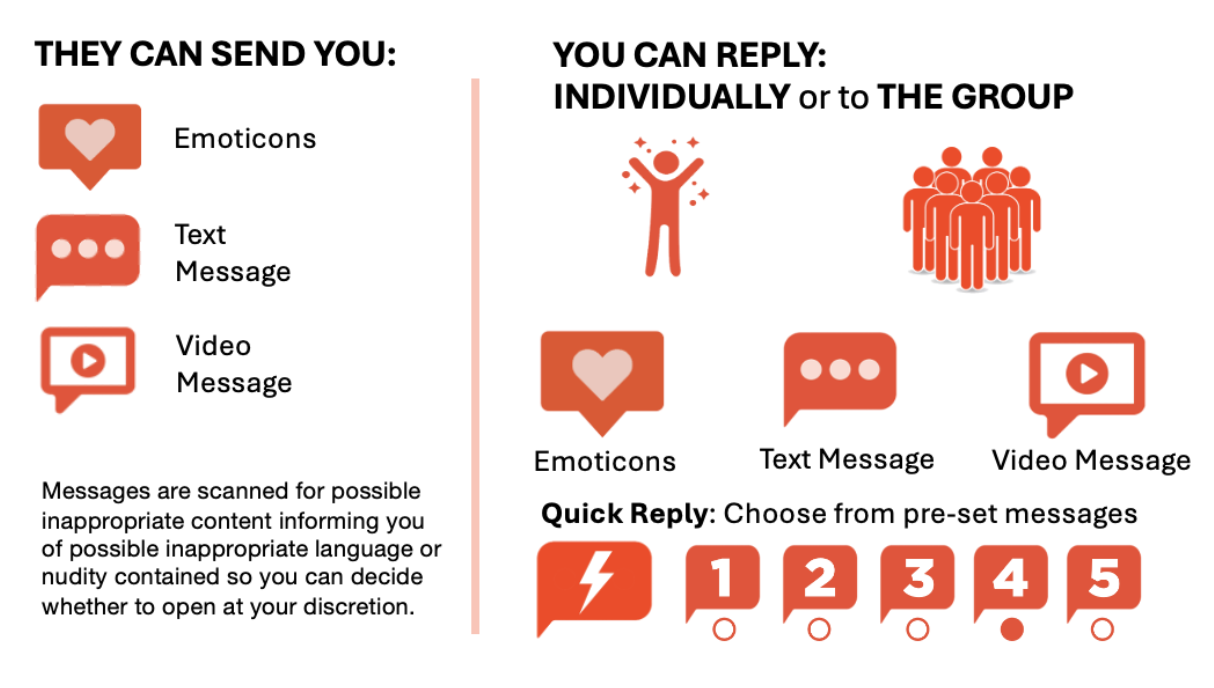
Fans can send you accolades by sending:
Round of applause: FREE
Bravo!: $2
Standing Ovation: $8
Secure message $14
Video message: $22
Custom Amount
You can reply to your fans with:
Personalized message
Group message
Pre-Set Quick Reply
ENGAGEMENT DASHBOARD:
Homepage > Click on Profile photo > My Recognitions:
Recognition Overview: Shows you the number of recognitions and amounts paid from your fans.
Receive Recognitions:
You can search all received recognitions by timeline, type, and action requested.
Timeline: Received in Last 7 days, 30 Days, 90 days, or all time.
Recognition Type: All, round of applause, text message, video message, custom.
Actions: All, Reply Requested, Reply Sent
Manage Replies:
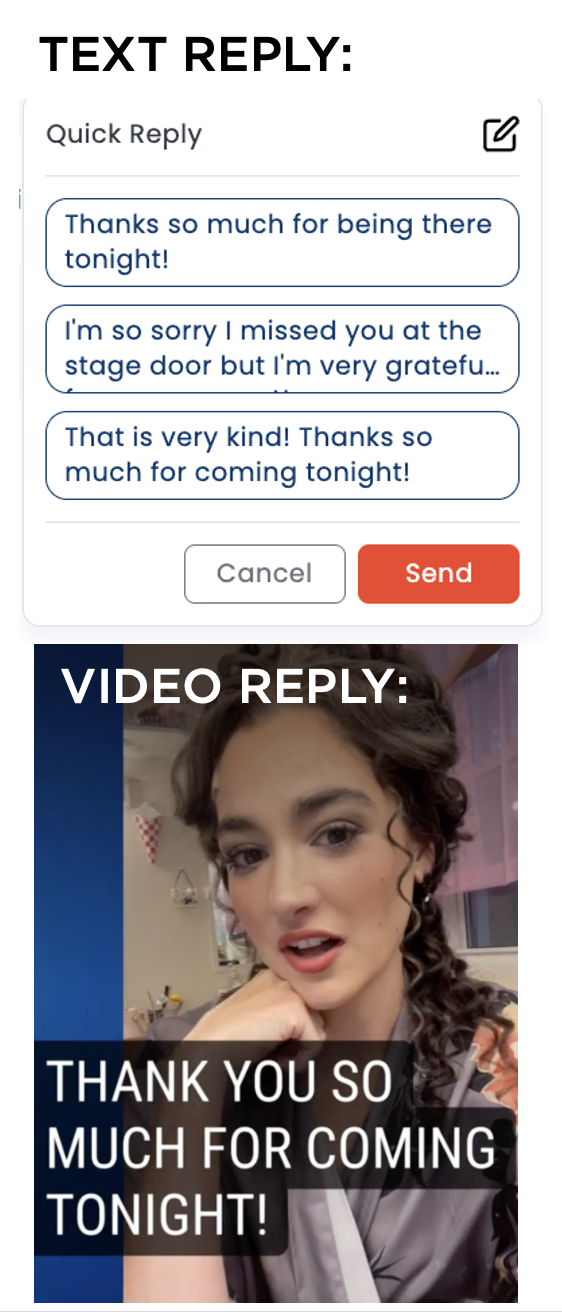
Text Reply: You can reply individually by tapping ‘SEND REPLY’ > Text Message > Send..
Video Reply: Send Reply > Video > Upload video > Send.
Group Reply: Tap Reply All > Choose type of reply
Quick Reply: Set up to 5 ‘Quick Replies’ that you can set and send to groups or individually. To edit your Quick Replies, tap the edit icon on Quick Reply and type your message. Save.
SECURE MESSAGING: Videos are scanned for inappropriate content (language/nudity). If the system flags any possibly inappropriate content you will receive and alter and decide whether you’d like to view, ignore, or report the message.
RECEIVE PAID RECOGNITIONS:
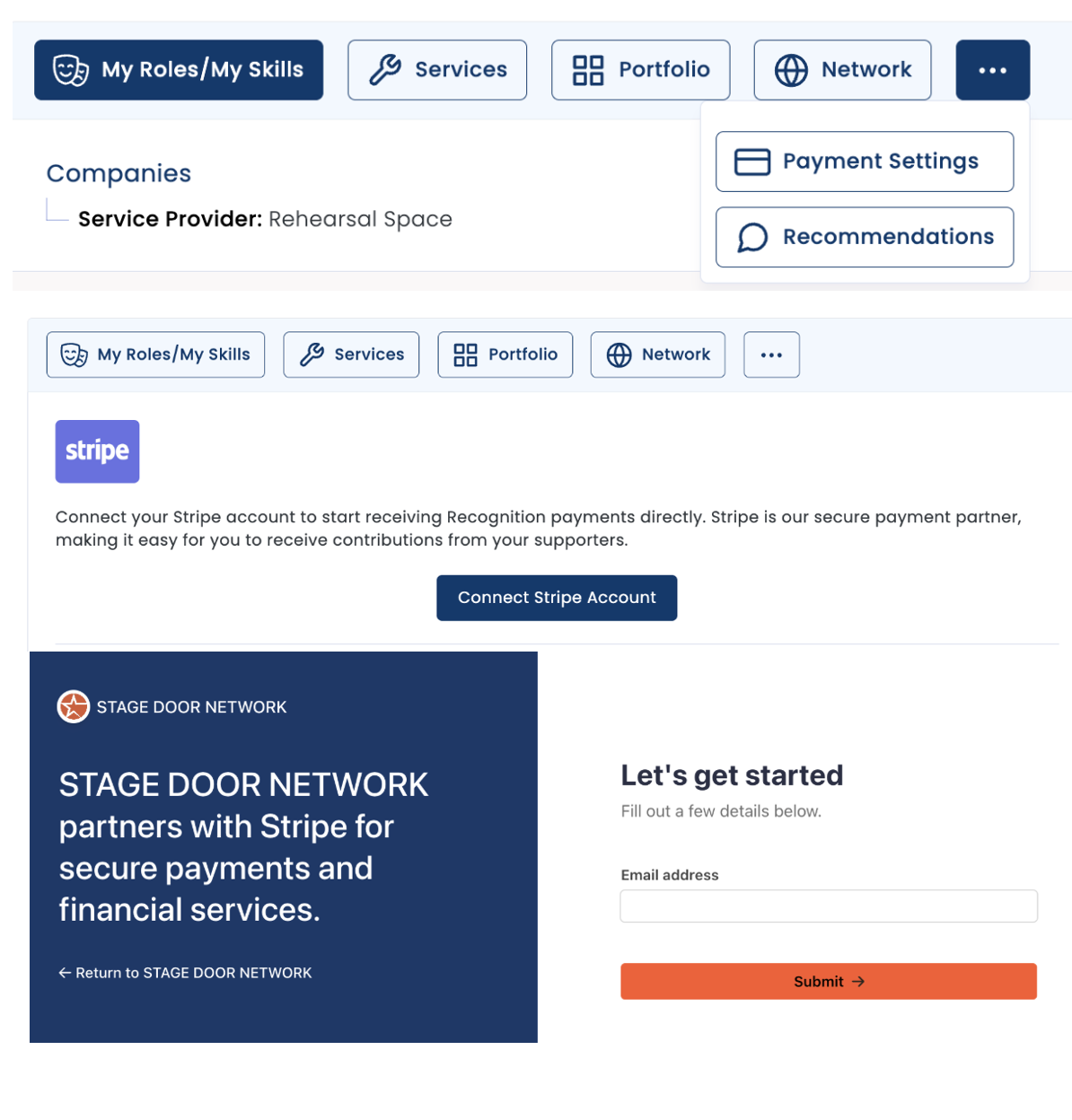
To receive paid recognitions, log into your Stage Door Network profile > Tap on your Name (top right corner) > Profile
On the Profile page tap on "..." > Payment Settings:
Link your Stripe Account:
Stage Door Network partners with Stripe for secure payments so you can receive payments directly to your Stripe account.
Once your account has been linked, paid recognitions are collected and paid out each month automatically to your Stripe account.
Distribution of funds:
70% of the contribution goes to the artist:
Artists make a statement to fans about where contributions are passed along.
10% the contribution goes to your production:
The production - if they participate - which features your work receives 10% to pass along to the charity or cause of their own choice.
5% goes automatically to charity:
The Stage Door Foundation supports theatre makers and the development of new works by providing subsidized studio space and financial support to develop new works in the creative pipeline.
RAISE MONEY FOR CHARITY:
You can turn on the Charitable Giving Option allowing your fans to donate to your favorite charity or pet project, another way they can acknowledge the individual contribution you made to their experience at the show.
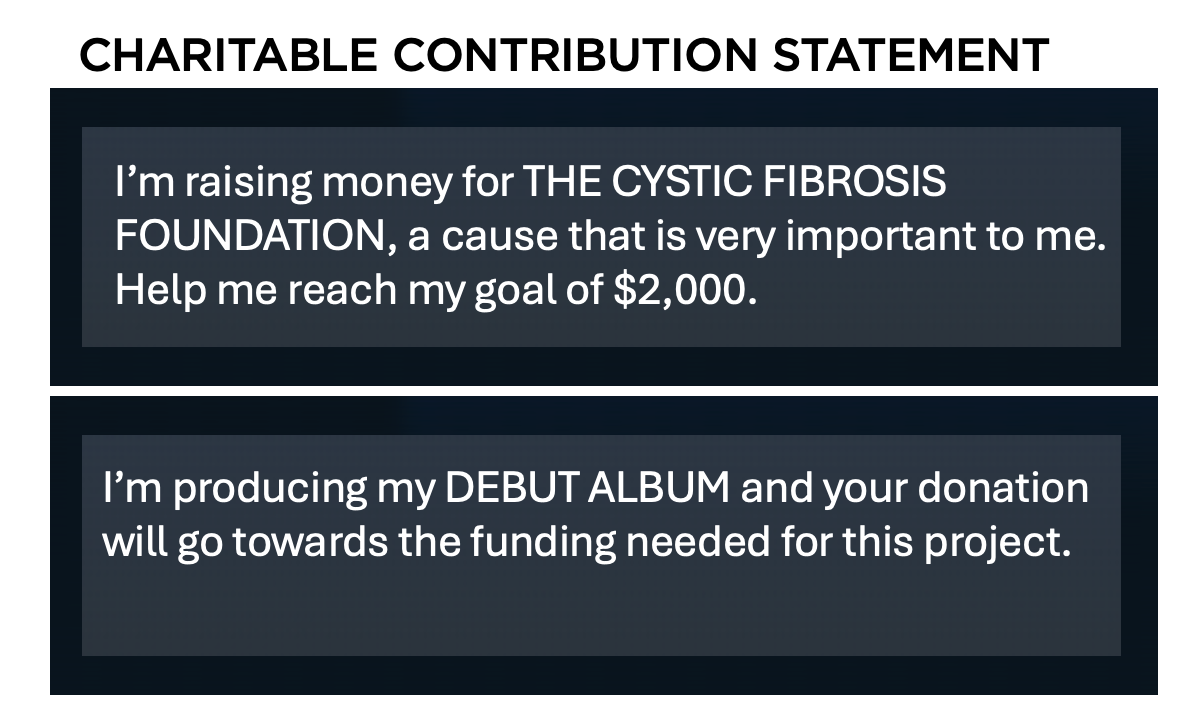
Create a short statement about your favorite cause or pet project:
Profile > Payment Settings > Contribution Statement:
Enter a short statement about the cause or project you are supporting. This will appear on your profile when people are choosing to send you a recognition.
All transactions are handled securely through your Stripe account, which inegrates to our system. When contributions are sent, the money is credited to the artist’s Stripe account, paid out each month.
The full amount of the contribution goes to your Stripe account and from there you decide how and when to send the donations to your charity. Stage Door does not automate those payments to your chosen project.